
Wylde Blogs
2026 UK step-by-step appeal checklist: How CBD brands can recover a suspended Meta ad account — templates, verification docs and prevention
Introduction — why this checklist matters
Having a Meta ad account suspended is stressful for any UK CBD brand. The platform’s automated systems are cautious around CBD advertising and a single flagged creative can pause campaigns, orders and revenue. This guide is a practical, step‑by‑step appeal checklist for 2026: what to check first, the common causes, the exact documents you’ll likely be asked for, sample appeal language and clear prevention tactics to reduce the chance of a future suspension.
Problem statement: my Meta ad account was suspended — what now?
If your Facebook or Instagram ad account is suspended, start calmly and methodically. Don’t rush into mass appeals — the wrong move can lock the account further. Follow a concise plan: confirm the notification, gather the right documentation, use the correct appeal channels and show concrete remediation where needed.
First things to check (immediately)
- Official notification: Check the email address linked to your Business Manager and the Meta Account Quality page / Business Support Home for the specific policy section cited. This tells you exactly which rule Meta believes you breached.
- Account messages: Look for any Identity or Payments verification requests — these often appear as separate messages and are a common cause of delay when missed.
- Do not submit multiple appeals immediately: Waiting for Meta’s communication and addressing the precise violation reduces automatic rejections.
Common causes of suspension
- Policy language in ads or landing pages: Explicit or implicit medical claims (avoid “treats”, “cures”, “prevents”).
- Unverified domain or landing page problems: Domain not verified in Business Manager, landing page missing lab information or age‑gating.
- Payments or billing concerns: Mismatched payment method, disputed transactions or missing receipts trigger billing restrictions.
- Identity or business verification gaps: Absent or incomplete business registration documents, or missing ID for authorised account admin.
- Repeated policy flags: Prior infractions or appeals that did not show remediation.
Required documents — what you should have ready
Meta commonly asks for the following. Gather digital copies (scans or high‑quality photos) before launching the appeal:
- Business registration (Companies House certificate or equivalent)
- Government‑issued photo ID for the authorised business admin (passport or UK driving licence)
- Proof of domain ownership (DNS TXT verification screenshot or hosting control panel evidence)
- Business payment receipts / transaction history showing recent ad spend or card statements
- Ad IDs and your Business Manager (BM) ID — include screenshots from the Ad Account and Ad Manager
Step‑by‑step solutions (appeal flow)
Follow this sequence to maximise your chance of a successful review.
1. Confirm the reason and prepare documents
- Open the specific policy cited in Account Quality and take notes on the precise phrase or section.
- Collect the documents listed above and export any ad creatives, ad copy and landing page URLs involved.
2. Use the Account Quality ‘Request review’ flow
Submit the official review using the Account Quality “Request review” button. Attach the concise evidence pack (file sizes acceptable to Meta) and reference the exact ad IDs and BM ID.
3. Escalate with Meta Business Support (chat/escalation)
If the account remains suspended after requesting review, open Business Support chat via Business Manager and reference your Request review ticket. Many appeals are reviewed within 24–48 hours, but allow up to 30 days for complex verification or repeated violations.
4. Respond promptly to identity & payments requests
Meta may forward requests to its payments team. Provide clear transaction receipts, cardholder names and billing descriptors. Missing these messages is a frequent cause of long delays — check spam folders and your Business Manager inbox daily.
5. If your initial appeal is rejected — submit a revised appeal
Do not re-submit the same argument. Instead, provide concrete remediation and evidence:
- Edited ad copy or images with medicinal language removed
- Screenshot and timestamp of domain verification in Business Manager
- Updated landing page (show before/after) and a short compliance checklist of changes
- Clear payment receipts and matching bank transaction lines
Appeal template — simple starter
Use short, factual language. Fill the placeholders with your details:
"We are [Company Name], a UK‑registered business (Companies House number: [xxxxxx]). Our ad account (Ad Account ID: [xxxx], BM ID: [xxxx]) was suspended under [policy section]. We do not make medicinal claims. Attached: business registration, ID for authorised admin, proof of domain ownership, recent payment receipts and the ad creative identified by Ad ID [xxxx]. We have corrected the landing page to remove language that could be interpreted as a medical claim and have verified our domain (screenshot attached). Please review and advise next steps."
When an appeal is rejected — what to include in a revised submission
- Clear description of what changed (show before/after screenshots)
- Evidence of domain verification (DNS TXT or Business Manager verification screenshot)
- Updated ad copy with compliant language and specific examples
- Formal compliance checklist signed by the brand owner or compliance officer
Risky workarounds and why to avoid them
Some operators attempt to create a new account, use a different device or add a fresh payment method. This can be tempting but carries real risk: Meta may link accounts and apply harsher penalties, including permanent bans. Consider this only after careful legal and risk assessment — and as a last resort.
Prevention tips — reduce future suspension risk
- Verify your domain: Confirm domain ownership in Business Manager before running ads.
- Use policy‑safe creative: Remove any language implying CBD is a medicine — use neutral wellness language such as “may support” or “many customers find”.
- Age‑gate landing pages: Implement a reputable age‑verification step for UK traffic.
- Keep payments consistent: Use the same business card or payment provider and retain clear receipts.
- Maintain a compliance pack: Have your Companies House docs, COAs and ID ready and accessible.
- Build a Meta rep relationship or consider Meta Verified: Where possible, a named Meta contact can speed reviews and clarify complex cases.
- Audit creatives regularly: Run periodic internal checks and keep a log of ad copy changes and approvals.
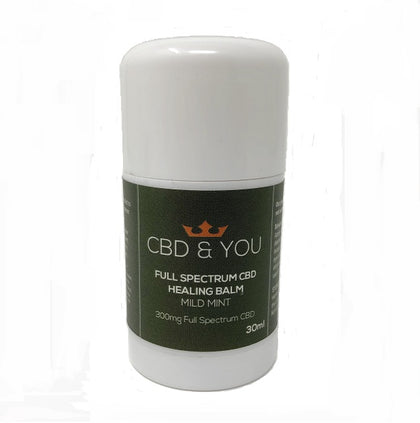
For example, your product pages should clearly present lab documentation and neutral product descriptions — small actions like displaying a Certificate of Analysis and removing therapeutic wording reduce friction during reviews. If you’d like to review a compliant product page layout, see our tidy listing for Wylde Natural Cold‑Pressed Drops 1000mg or how a simple topical page looks for a balm like Full Spectrum CBD Healing Balm — clean, factual product copy and visible lab credentials avoid the language that commonly triggers moderation.
Conclusion
Meta ad account suspensions are disruptive, but they can often be resolved with a calm, evidence‑based approach. Start by checking the Account Quality notice and gather the commonly requested documents first. Use the Request review flow, escalate via Business Support if needed, respond quickly to identity/payments requests and, if an appeal is rejected, submit a thoughtful revised appeal showing clear remediation. Put simple prevention measures in place — verified domain, policy‑safe creative, consistent payments and clear COAs — and you’ll reduce the likelihood of a repeat suspension.
Keep this checklist handy and treat appeals as a compliance exercise rather than a debate; specificity and clear evidence are your strongest tools.